AWS-Logo_White-Color
1.
Introduction
2.
Prerequisite
2.1
Prepare VPC and EC2
2.1.1
Create VPC
2.1.2
Create Public subnet
2.1.3
Create Private subnet
2.1.4
Create security groups
2.1.5
Create Public Linux EC2
2.1.6
Create Private Windows EC2
2.2
Create IAM Role
3.
Connect to EC2 instances
3.1.
Connect to Public instance
3.2.
Connect to Private EC2 instance
3.2.1
Enable DNS hostnames
3.2.2
Create VPC Endpoint
3.2.2.1
Create Endpoint ssm
3.2.2.2
Create Endpoint ssmmessages
3.2.2.3
Create Endpoint ec2messages
3.2.3
Connect to Private EC2
4.
Session logs management
4.1
Update IAM Role
4.2
Create S3 Bucket
4.3
Create S3 Gateway endpoint
4.4
Monitor session logs
5.
Port Forwarding
6.
Cleanup resources
More
AWS Study Group - Blog
AWS Study Group - FB Group
English
Tiếng Việt
Clear History
Workshop
Cloud Journey
Last Updated
19-09-2026
Team
Sử Trịnh
Gia Hưng
Thanh Hiệp
Quang Hiếu
Session Management
>
Connect to EC2 instances
>
Connect to Private EC2 instance
> Enable DNS hostnames
Enable DNS hostnames
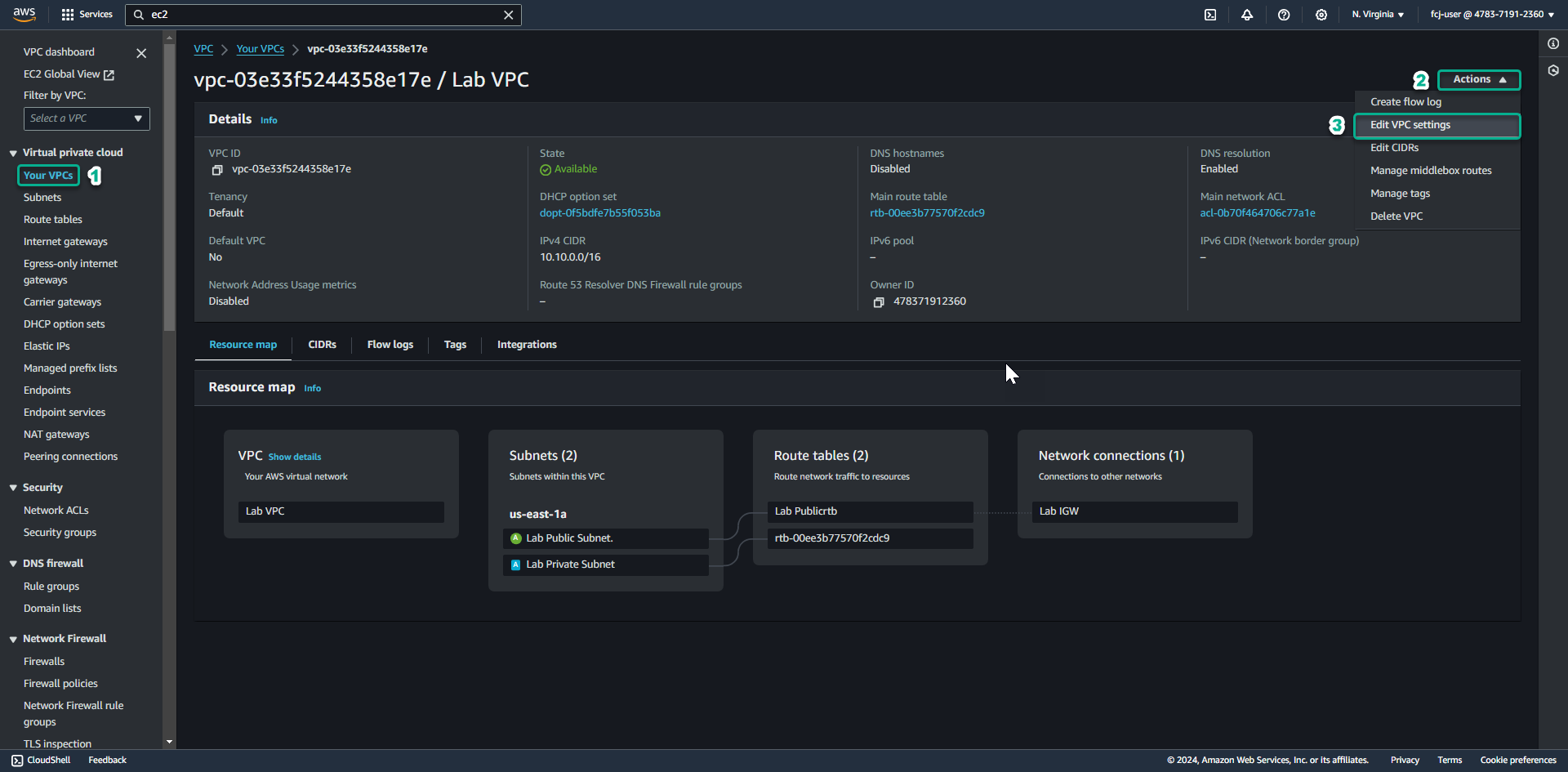
Enable DNS hostnames on VPC.
To create a VPC Endpoint, we will need to enable the
DNS hostnames
feature on the VPC.
Access the
VPC service management console
Click
Your VPCs
.
Select
Lab VPC
.
Click
Actions
.
Click
Edit VPC settings
.
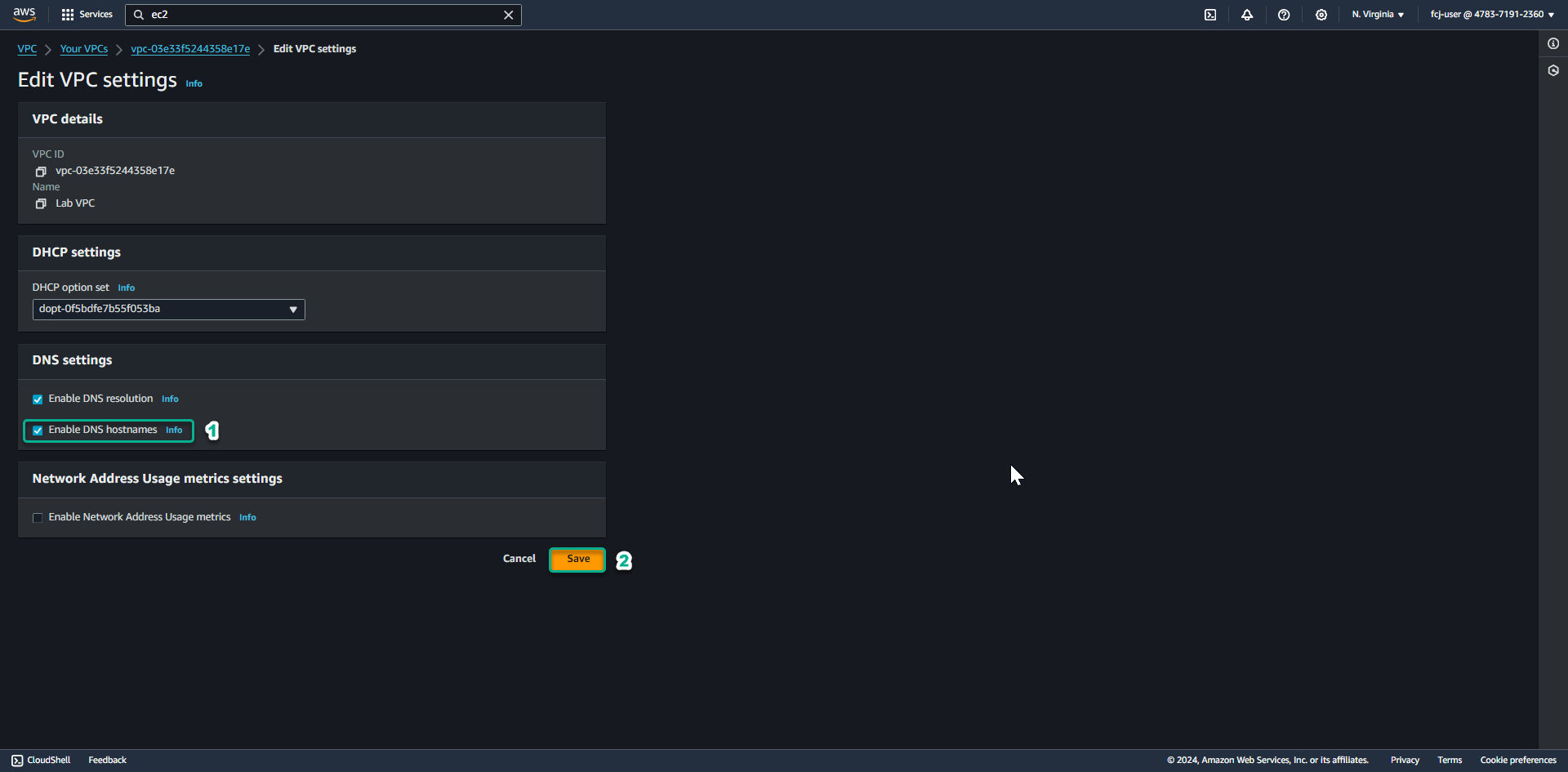
In the
DNS setting
section.
Check the box for
Enable DNS hostnames
.
Click
Save
.