Create Endpoint ssm
Create VPC Endpoint SSM
Access the VPC service management console
- Click Endpoints.
- Click Create endpoint.
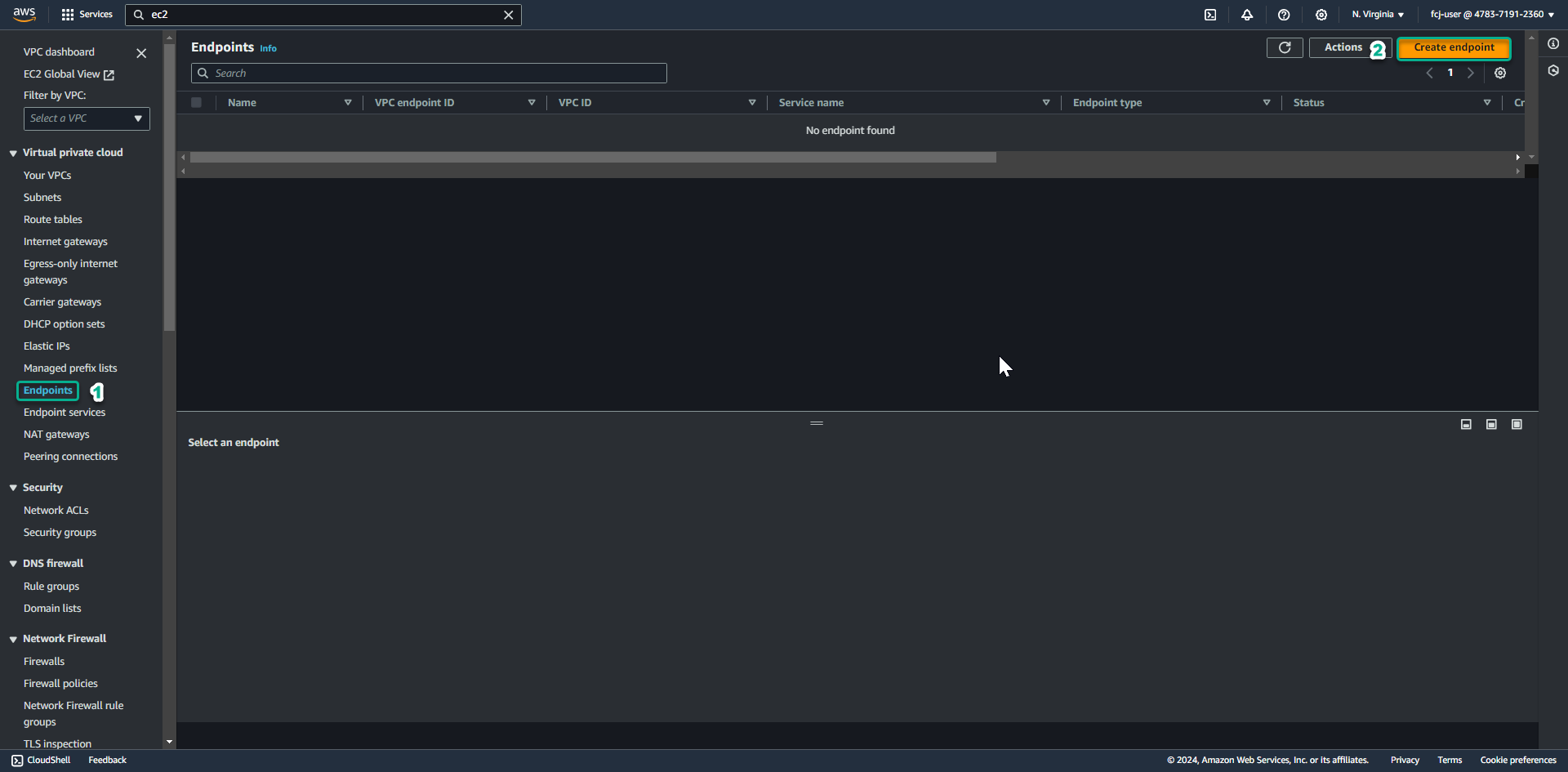
At the Create endpoint page.
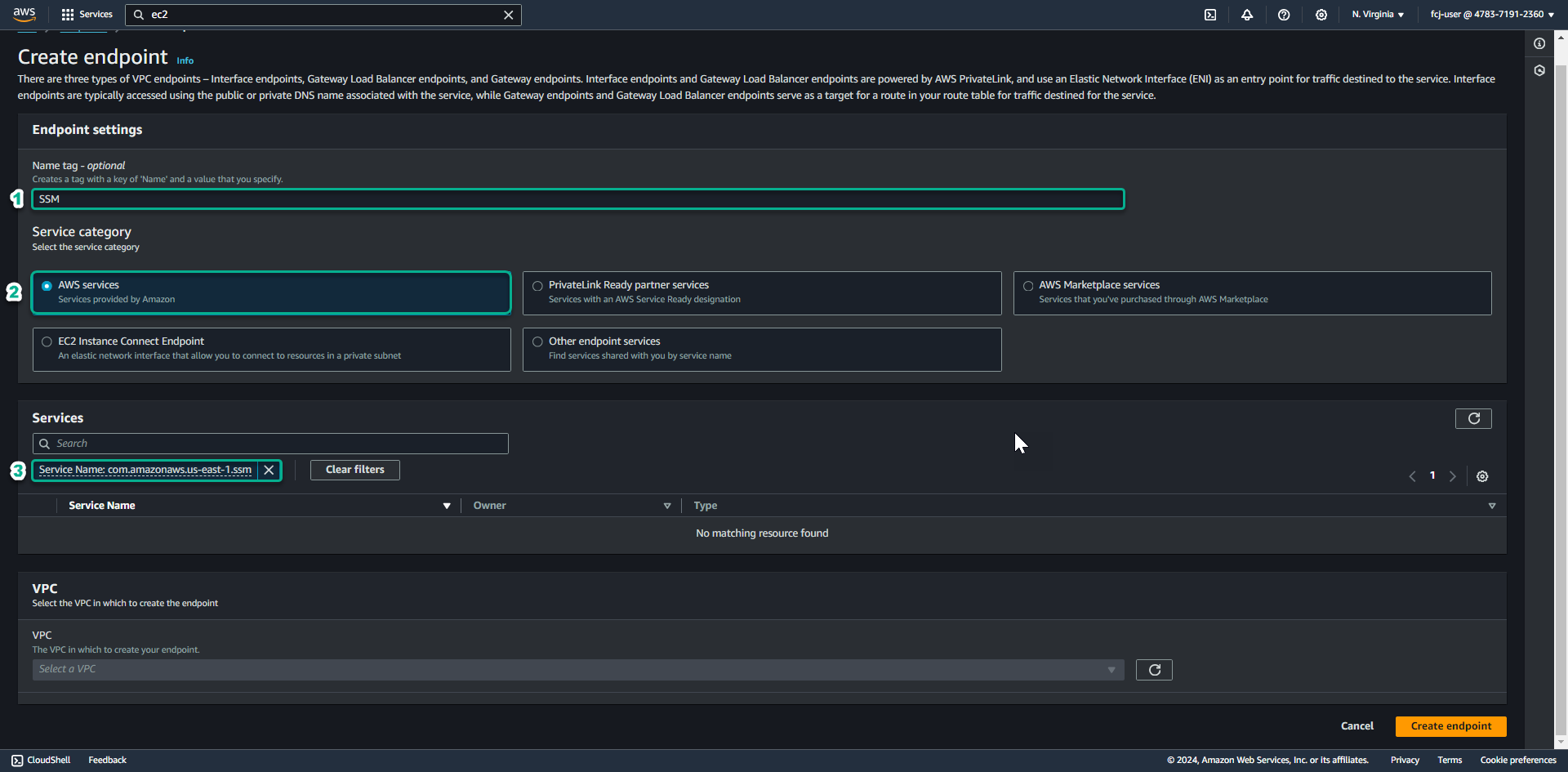
- In the Name tag section, enter SSM.
- In the Service Category section, select AWS Services.
- In the Service section, enter
.ssminto the search bar - In the Service category section, select: AWS services
- Then select Service Name: com.amazonaws.us-east-1.ssm.
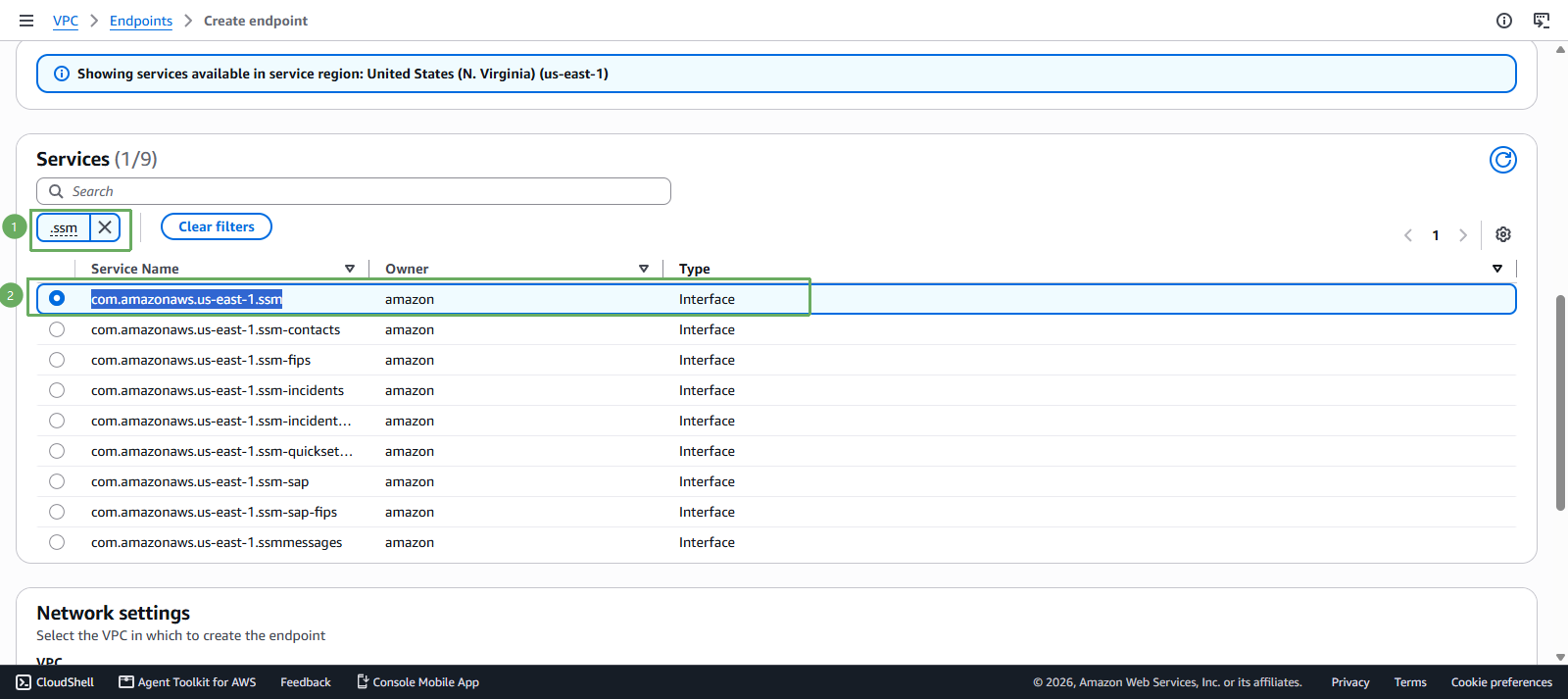
- Then select Service Name: com.amazonaws.us-east-1.ssm.
- In the VPC section, select Lab VPC.
- Select the first AZ, then select the Lab Private Subnet.
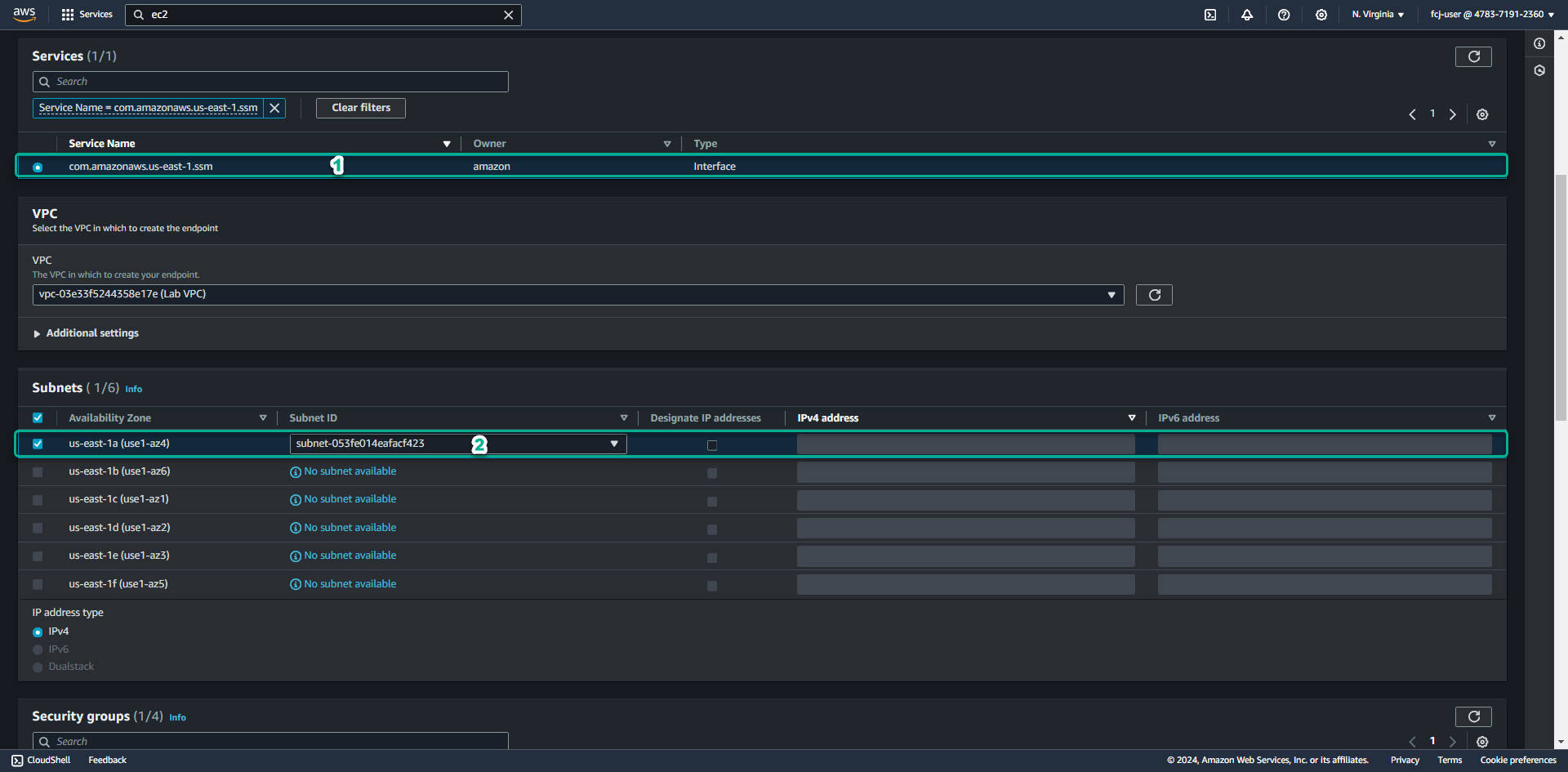
Scroll down.
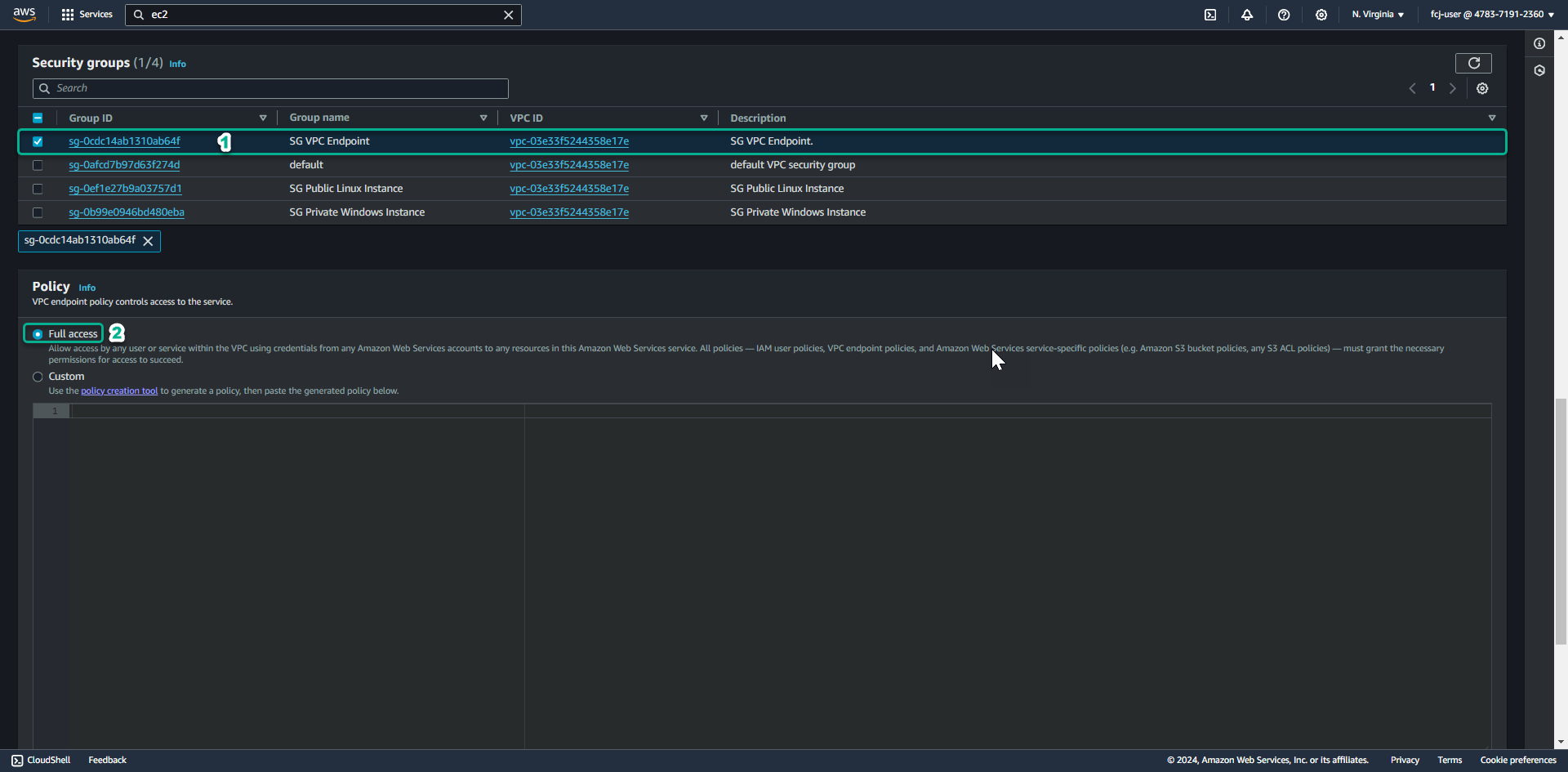
- In the Security Group section, select the SG VPC Endpoint Security group we created earlier.
- In the Policy section, select Full access
Scroll to the very bottom.
- Click Create endpoint.
We have finished creating the VPC Interface Endpoint for SSM.